Built for the way your agency works.
Create teams, share resources, manage roles, and audit access. Collaboration that scales as your agency grows from 10 producers to 500.
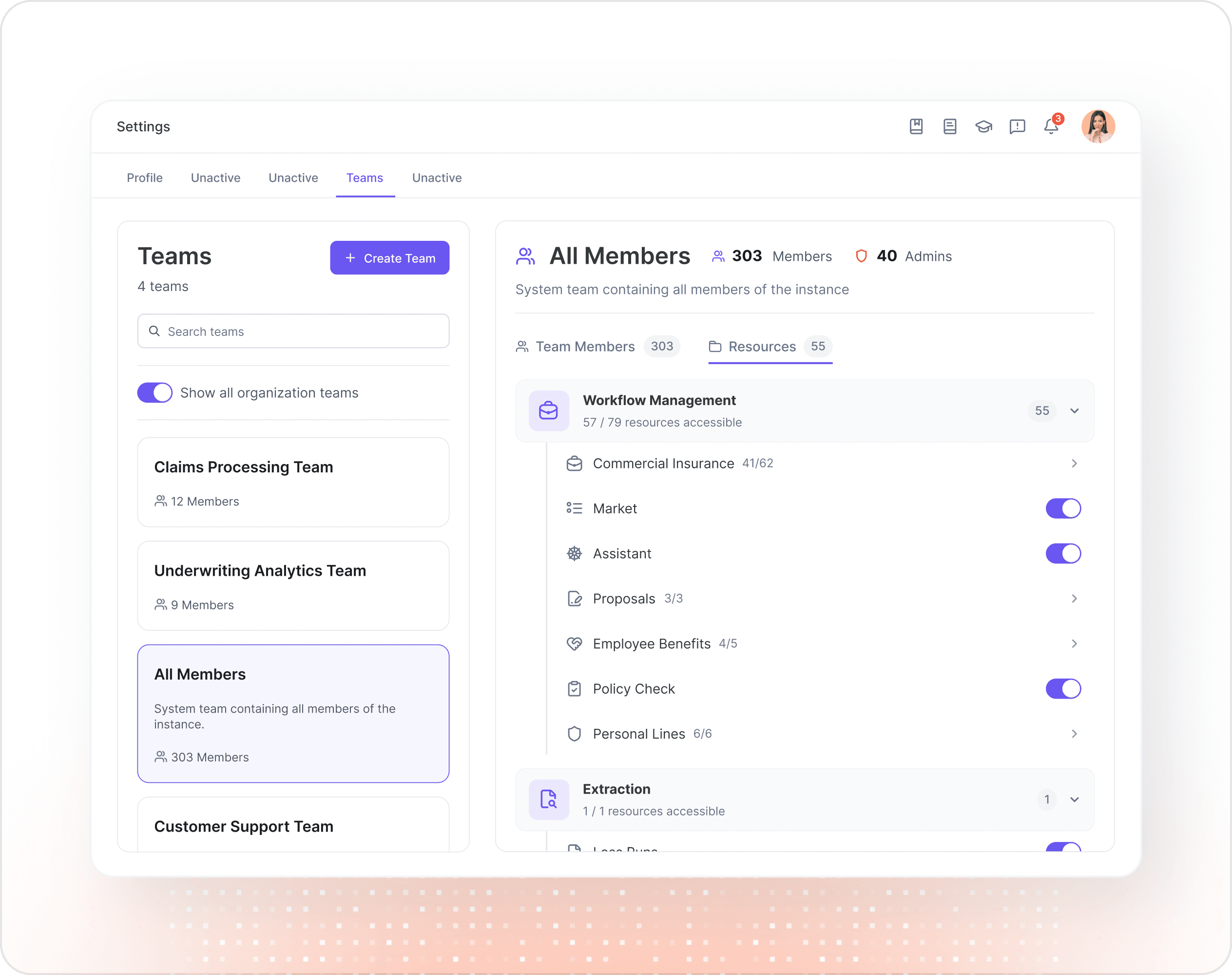
Create teams in seconds.
Set up teams for any structure: by line of business, by office, by client account, or by special project. Add members, assign roles, and get to work in under a minute.
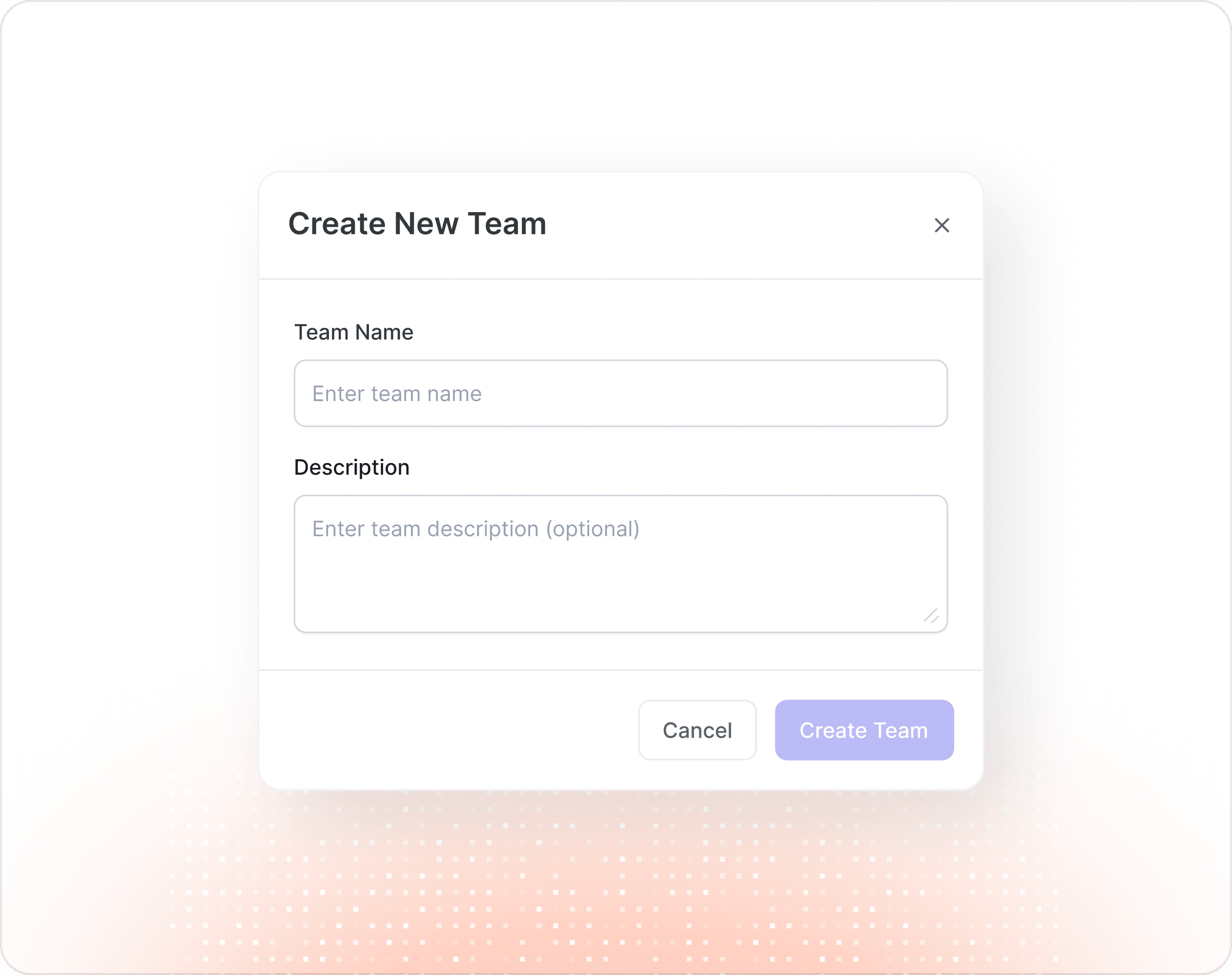
Create teams in seconds.
Set up teams for any structure: by line of business, by office, by client account, or by special project. Add members, assign roles, and get to work in under a minute.
Share resources with the right people.
Workflows, proposals, dashboards, files, folders, and chat conversations. Share any resource with a specific team, individual, or both. View or edit permissions on every share.
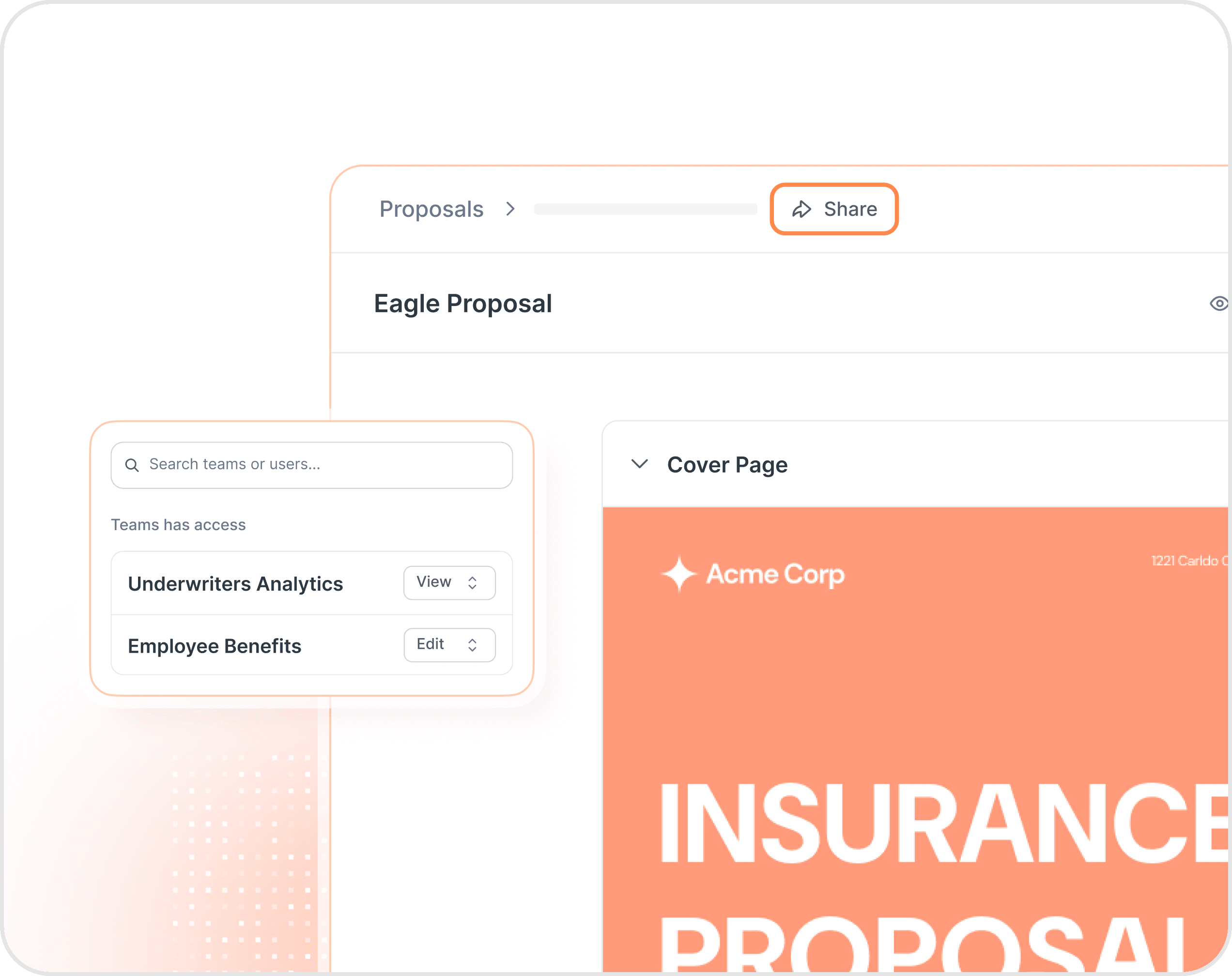
Share resources with the right people.
Workflows, proposals, dashboards, files, folders, and chat conversations. Share any resource with a specific team, individual, or both. View or edit permissions on every share.
Team folders, shared by default.
Every team gets its own folder for documents, proposals, and workflows. New work created inside a team folder is automatically shared with the whole team. No manual sharing required.
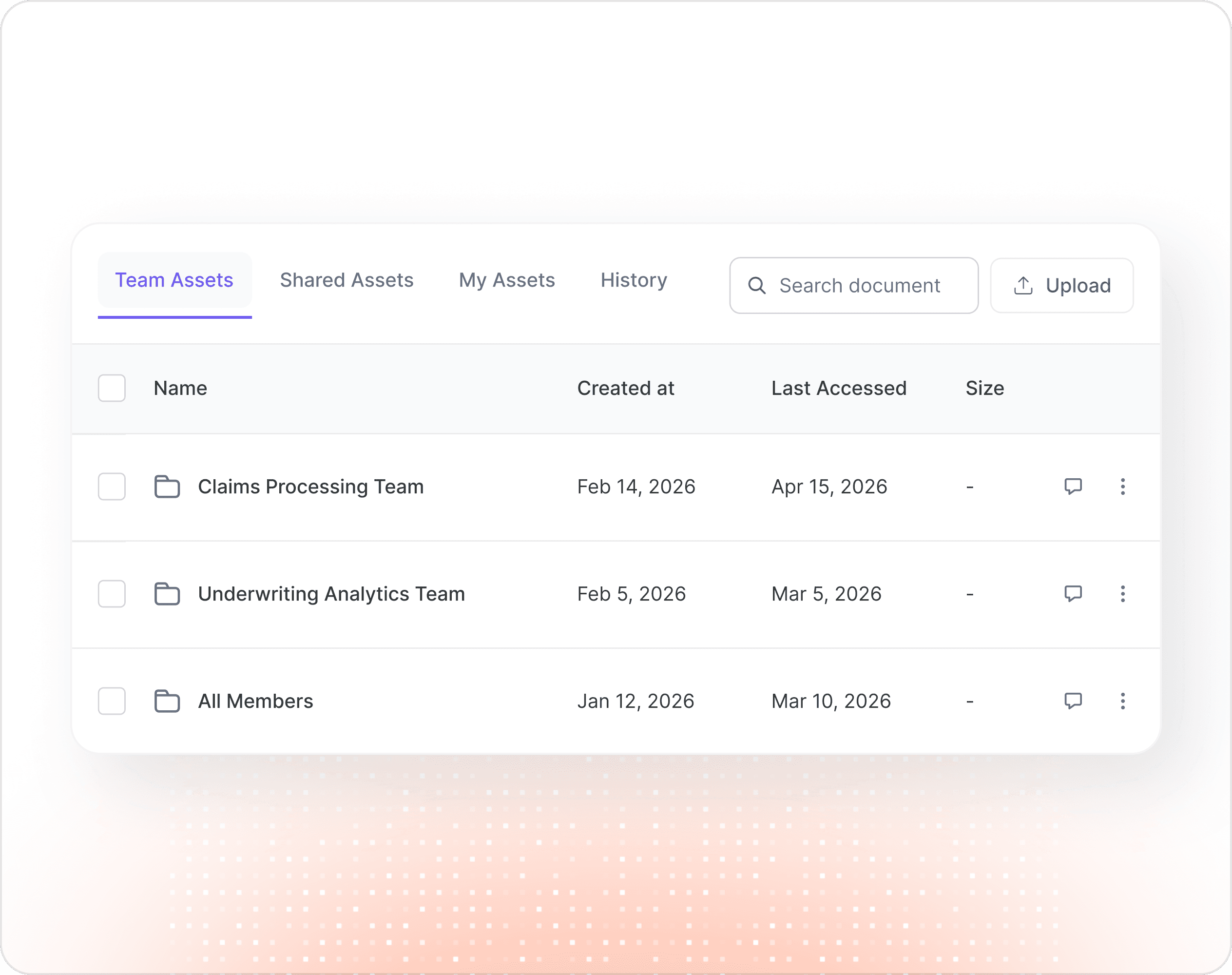
Team folders, shared by default.
Every team gets its own folder for documents, proposals, and workflows. New work created inside a team folder is automatically shared with the whole team. No manual sharing required.
Bulk member management.
Onboard your whole agency in minutes. Bulk-add members, assign roles in one shot, and reassign or revoke access when people switch desks, change roles, or leave.
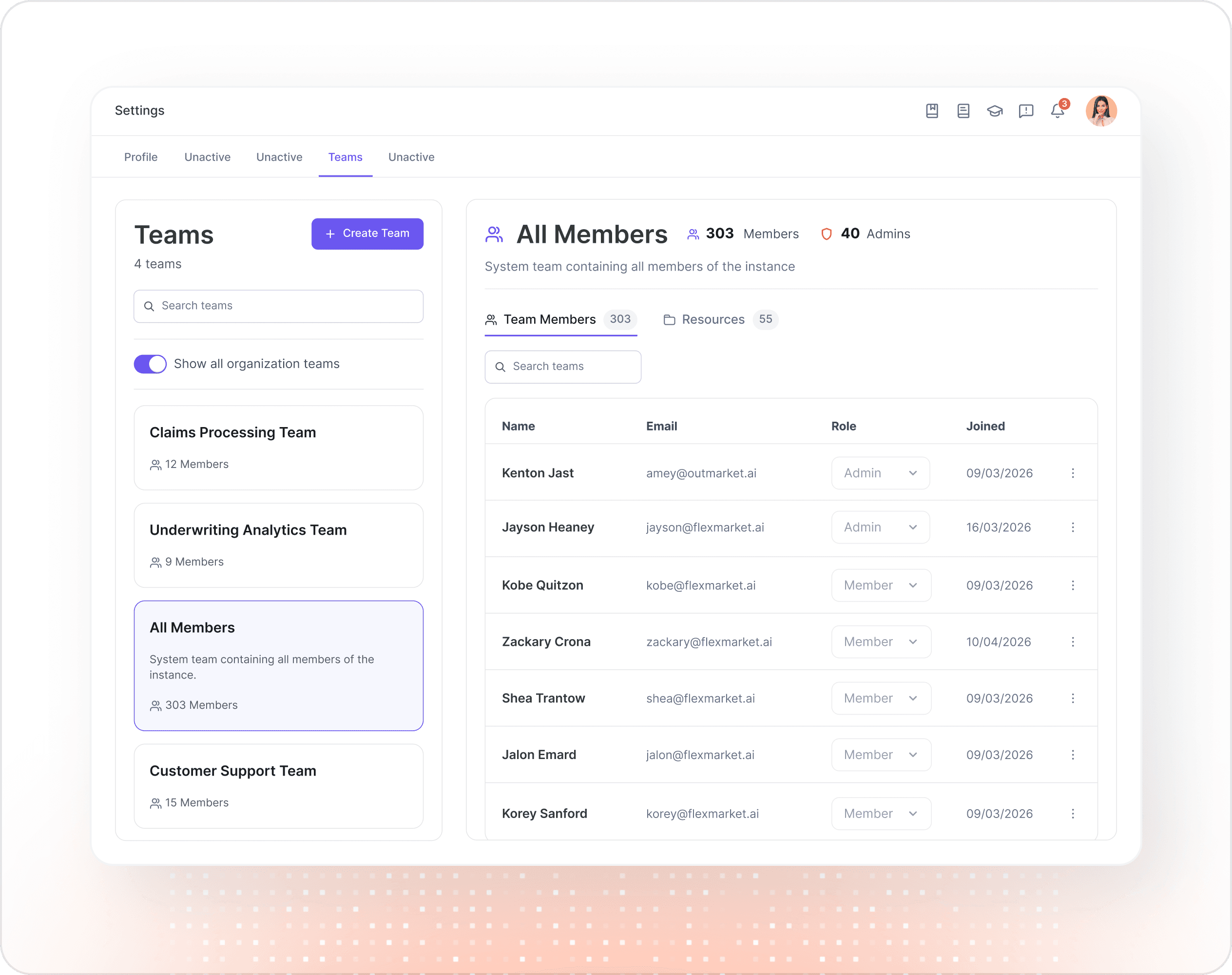
Bulk member management.
Onboard your whole agency in minutes. Bulk-add members, assign roles in one shot, and reassign or revoke access when people switch desks, change roles, or leave.
Common questions
Who can create teams?
Admins can create unlimited teams across your agency. Members can belong to multiple teams, organized by line of business, office, client account, or special project. However your agency wants to structure work.
What can be shared with a team?
Workflows, proposals, dashboards, documents, folders, and chat conversations. Anything created in Outmarket can be shared with view or edit permissions to a team, an individual, or both.
Can I share with just one person, not a whole team?
Yes. Resources can be shared with teams, individuals, or both, and the same resource can have different permissions for different people. A producer might have edit access while their CSR has view-only.
What happens when someone leaves the agency?
Their access can be revoked across every team and resource in a single action. Bulk member management makes offboarding fast.
Can I see who has access to a specific resource?
Yes. Every shared workflow, proposal, dashboard, or file shows exactly which teams and individuals have access, at what permission level, and when each share happened. No more "who shared this?" mysteries.
Common questions
Who can create teams?
Admins can create unlimited teams across your agency. Members can belong to multiple teams, organized by line of business, office, client account, or special project. However your agency wants to structure work.
What can be shared with a team?
Workflows, proposals, dashboards, documents, folders, and chat conversations. Anything created in Outmarket can be shared with view or edit permissions to a team, an individual, or both.
Can I share with just one person, not a whole team?
Yes. Resources can be shared with teams, individuals, or both, and the same resource can have different permissions for different people. A producer might have edit access while their CSR has view-only.
What happens when someone leaves the agency?
Their access can be revoked across every team and resource in a single action. Bulk member management makes offboarding fast.
Can I see who has access to a specific resource?
Yes. Every shared workflow, proposal, dashboard, or file shows exactly which teams and individuals have access, at what permission level, and when each share happened. No more "who shared this?" mysteries.
Common questions
Who can create teams?
Admins can create unlimited teams across your agency. Members can belong to multiple teams, organized by line of business, office, client account, or special project. However your agency wants to structure work.
What can be shared with a team?
Workflows, proposals, dashboards, documents, folders, and chat conversations. Anything created in Outmarket can be shared with view or edit permissions to a team, an individual, or both.
Can I share with just one person, not a whole team?
Yes. Resources can be shared with teams, individuals, or both, and the same resource can have different permissions for different people. A producer might have edit access while their CSR has view-only.
What happens when someone leaves the agency?
Their access can be revoked across every team and resource in a single action. Bulk member management makes offboarding fast.
Can I see who has access to a specific resource?
Yes. Every shared workflow, proposal, dashboard, or file shows exactly which teams and individuals have access, at what permission level, and when each share happened. No more "who shared this?" mysteries.

Ready to Transform Your Agency?
Ready to Transform Your Agency?
Ready to Transform Your Agency?
The #1 AI platform for insurance. 250+ agencies. Purpose-built workflows. Enterprise security.
The #1 AI platform for insurance. 250+ agencies. Purpose-built workflows. Enterprise security.
The #1 AI platform for insurance. 250+ agencies. Purpose-built workflows. Enterprise security.
Platform